A strong UAT checklist before launch lists the scope agreed in writing, every functional flow mapped to a real user journey, the edge cases that break things (empty states, expired sessions, failed payments), the exact browsers and devices your traffic actually uses, and a named approver who signs off against written acceptance criteria. Skip any one of those and the "pass" you get isn't worth much.
| Checklist Area | What It Covers | Who Owns It |
|---|---|---|
| Scope agreement | What's in UAT, what's explicitly deferred | Product owner + dev lead |
| Functional flow mapping | Core user journeys, happy path plus branches | Business stakeholders |
| Edge case list | Empty states, timeouts, payment failures, concurrency | QA + testers |
| Browser/device matrix | Top browsers and devices by real traffic share | Analytics owner |
| Entry criteria | Environment ready, test data seeded, known bugs closed | QA lead |
| Exit criteria | Severity thresholds cleared, no open blockers | Accepting authority |
| Sign-off record | Named approver, acceptance criteria, known limitations | Product owner |
User acceptance testing exists to answer one question: does the finished build match how the business actually works, not just what the spec said. That's a different question from QA testing, which asks whether the code functions without breaking.
Before you write a single test case, get the scope down on paper. What features are included in this UAT round, and what's explicitly deferred to a later release?
A working UAT checklist should list scope agreed and written down, with the accepting authority named and aware of their role, before anything else happens. Skipping this step is the single most common reason UAT drags past its deadline: nobody agreed what "done" meant, so the goalposts move mid-test.
Name one person as the accepting authority. Not a committee, not "the client team" as a vague group. One name, one signature line, one person who can say yes or no when the sign-off document lands on their desk.
A functional flow is the sequence of actions a real user takes to get something done: sign up, book an appointment, complete a checkout, submit a support ticket. Test cases written screen by screen miss the seams between screens, and that's exactly where launches break.
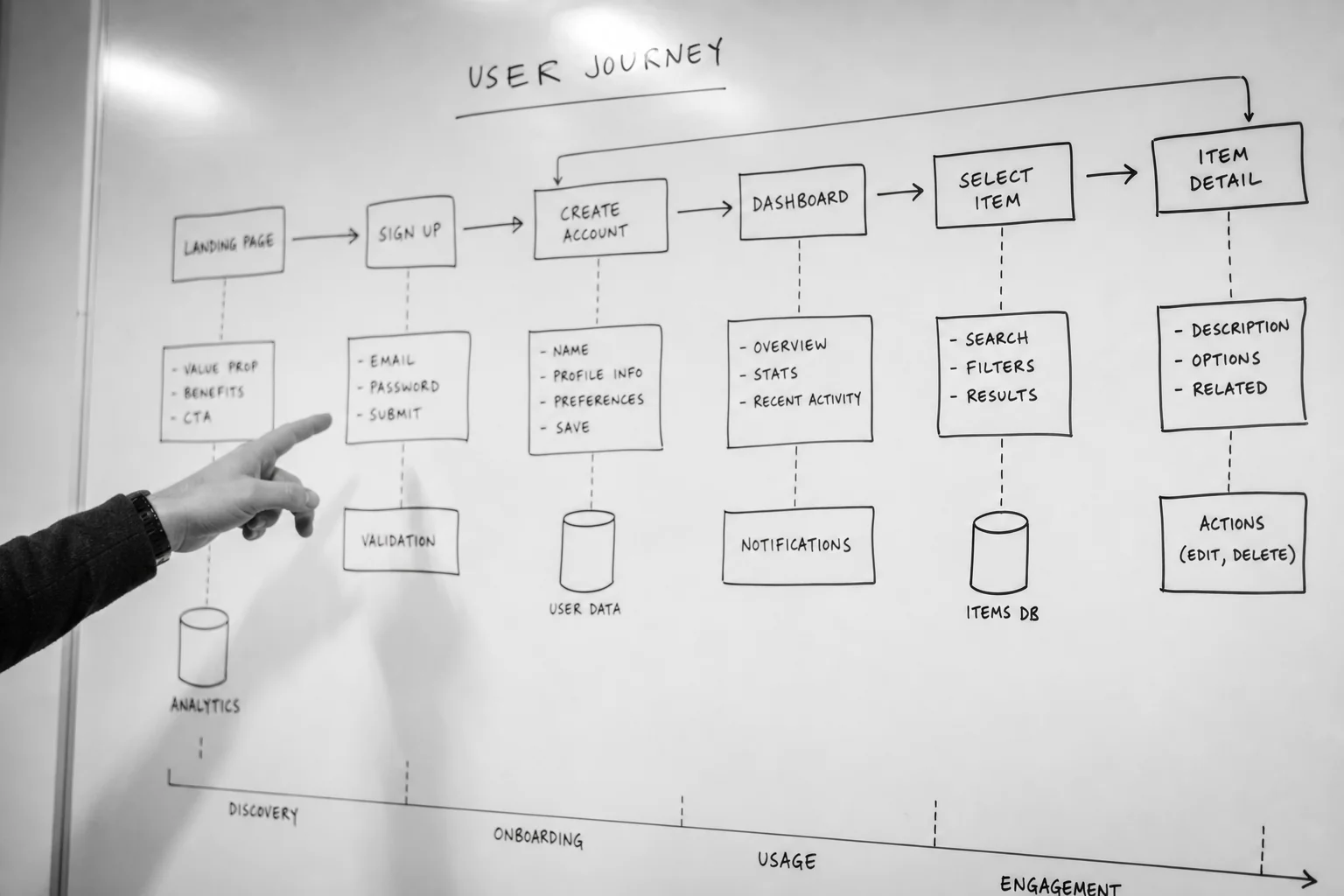
Start by listing every critical user journey your product supports. For each one, write the happy path (everything goes right) and at least two branch paths (a form validation fails, a user backs out halfway, a session times out mid-flow). Map each test case back to the original requirement it verifies, so nobody can dispute later whether a feature was tested or just assumed to work.
This traceability matters most on projects handed between teams. If you're bringing in outside developers, a clear scope document from the start prevents this exact gap; see our guide on writing an MVP feature scope document for how to define those requirements before build even begins.
Happy-path testing feels productive because everything passes. It also tells you almost nothing about how the product behaves under real conditions, where users misclick, connections drop, and two people edit the same record at once.
Your checklist needs specific edge cases, not a general reminder to "test thoroughly." Include: what happens when a form is submitted with no data, what a user sees after their session expires mid-checkout, how a failed payment gateway response is handled, and what happens when two users edit the same booking or record simultaneously. Each of these has ended a real launch when it slipped through untested.
If your product handles payments, this list gets longer. Failed authorisation, partial refunds, and webhook retries all need their own line items; our breakdown of payment gateway integration and PSD2 pitfalls covers the specific failure modes European payment flows introduce.
Testing on the developer's laptop tells you the build works on the developer's laptop. It tells you nothing about the split of desktop, mobile, and tablet traffic your actual customers use, which varies significantly by industry and by market across the UK, Ireland, and the wider European service area.

Pull your analytics before you write the device matrix. If mobile drives most of your traffic, that's where UAT time goes first, not last. Prioritise by real usage share, not by what's easiest to test or what the team happens to have on hand. A device matrix built from guesswork is a checklist item that looks complete and isn't.
For consumer-facing apps like booking or scheduling tools, this matters even more, since a broken mobile flow costs conversions directly. See how device and flow priorities differ across use cases in our comparison of booking app use cases for clinics versus restaurants.
Entry and exit criteria exist to stop two specific failures: starting UAT on a build that isn't ready, and stopping UAT because the calendar date arrived rather than because the build actually passed. Both are common, and both are avoidable with a written checklist agreed before day one.
Entry criteria typically require the test environment to be stable, test data seeded, and all known QA-level bugs closed before business users start testing. Scope should already list the specific features, workflows, and integrations included, along with what's explicitly excluded, so entry isn't a moving target.
Exit criteria define the finish line: what severity of defect is acceptable to launch with, and what counts as a blocker. Set these numbers before testing starts, not while a stakeholder is trying to decide whether to delay a launch date.
UAT length depends on scope: a small feature might need only a few days of focused testing against the main user flow, while an enterprise release with multiple integrations often runs as its own multi-week stage with dedicated participants. Complex SaaS releases are better treated as a separate stage with named participants, test scenarios, and formal approval, rather than squeezed into the final days before go-live.
Block calendar time for UAT the same way you'd block time for development. Treating it as a buffer that shrinks whenever the build runs late is exactly how quality issues reach production.
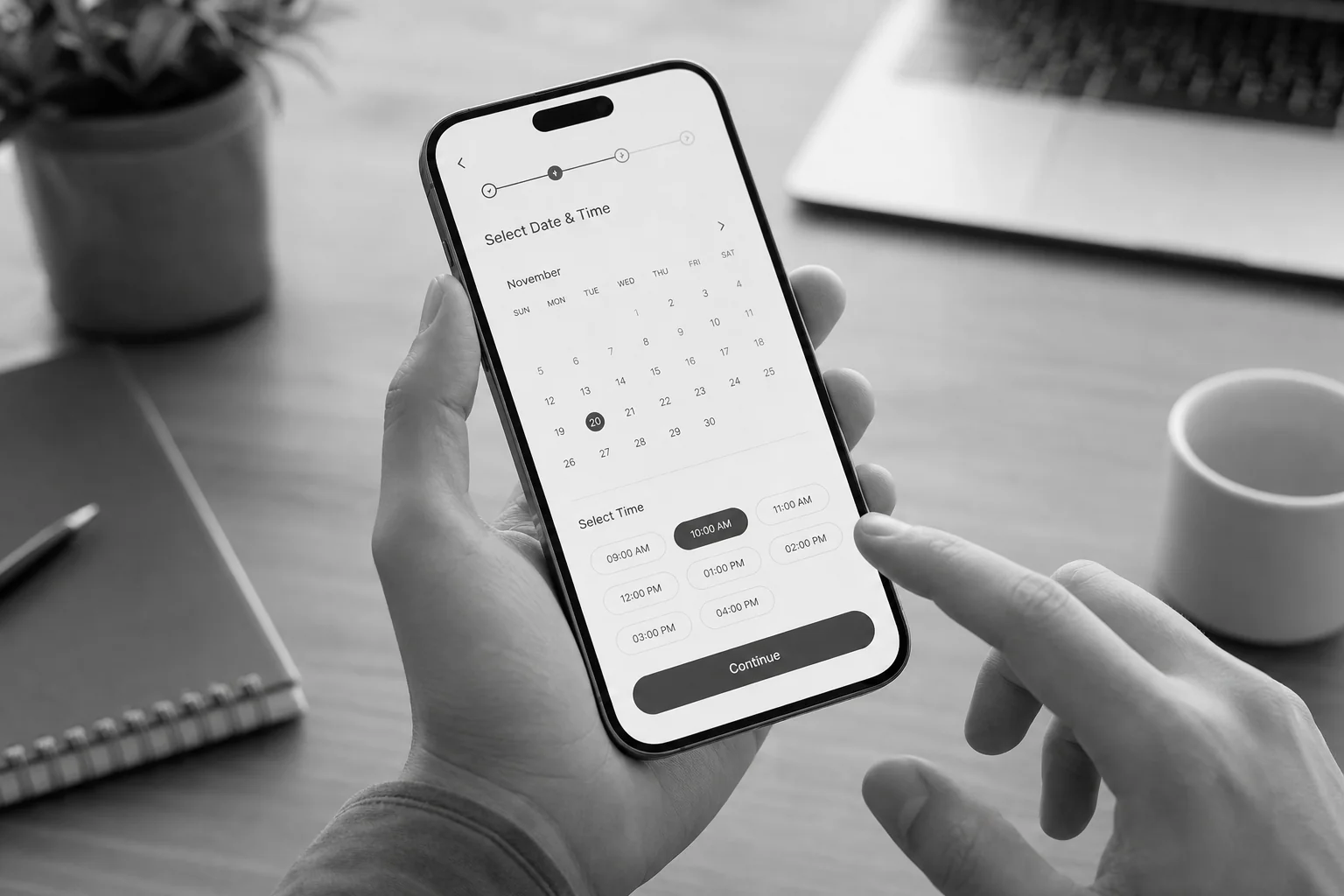
Consider a hypothetical clinic booking app about to launch. Its UAT checklist might look like this, organised by the same structure covered above:
This is a worked example to illustrate structure, not a record of an actual client engagement. The same shape applies whether you're launching a booking tool, an e-commerce checkout, or an internal dashboard: scope, flows, edge cases, devices, exit criteria, sign-off.
A sign-off that can't survive a dispute isn't a sign-off, it's an assumption. Build the document so it stands on its own months later, when nobody remembers the Slack thread where everyone agreed things looked fine.
A defensible sign-off record names the release version being approved, lists what was explicitly excluded from that release, maps each acceptance criterion to the test scenarios that verified it, and documents any known limitations or caveats the accepting authority agreed to launch with anyway. A complete sign-off record contains a release identification section along with these details, kept in a shared document or ticket so it's retrievable later.
Get this in writing before launch, not after a dispute starts. If your development agreement doesn't already specify who owns UAT sign-off and what happens if a defect surfaces post-launch, that gap belongs in the contract; our rundown of development contract essentials worth reviewing before signing covers exactly this clause.
UAT isn't a bolt-on step at Axire Infotech; it sits inside the third stage of the four-step process: Discovery & Planning, Design & Prototyping, Development & Testing, and Launch & Support. Every build goes through agile testing cycles with regular quality checks, so the UAT phase before go-live confirms what's already been verified internally rather than surfacing surprises for the first time.
For founders coordinating this across a remote team, timezone overlap matters more than people expect. Axire's team works CET afternoons alongside its European clients, which keeps sign-off conversations happening in real time instead of waiting a day for a reply. If you're weighing how a development partner should run testing and handover generally, our guide on onboarding a dev team without losing momentum covers the surrounding process.
Want a second opinion on your current UAT plan, or help structuring one before your next release? See how Axire approaches web development and testing or reach out directly to talk through your launch timeline.
UAT should be run by real business stakeholders or end users, not developers, because it tests whether the build matches how the business actually operates. Include the accepting authority named earlier, plus at least one person doing the actual day-to-day work the software supports.
QA testing checks whether the code functions correctly against technical specifications; UAT checks whether the finished product matches real business workflows and user expectations. QA happens earlier and is run by testers; UAT happens last and is run by the people who'll actually use the system.
A failed UAT round means defects get logged, prioritised by severity, and fixed before a re-test round, rather than launching with known blockers. Exit criteria set in advance decide what severity is acceptable to launch with and what has to be fixed first.
Yes. Testing on a staging environment separate from production, seeded with realistic test data, is part of standard entry criteria and prevents test activity from affecting real customer data or live transactions.
If you're weighing UI polish alongside functional testing before launch, Axire's UI/UX design services and app development services both feed directly into a cleaner UAT round, since fewer design ambiguities mean fewer disputed test failures. Browse past projects or the full services list to see how this fits your build, or read more on the Axire blog for related process guides.
A UAT checklist built before launch, not during a rushed final week, is what separates a smooth go-live from a scramble. Get your scope, flows, edge cases, and sign-off criteria written down now, and your launch date stops depending on luck. Contact Axire to talk through how a structured Development & Testing phase can fit your next release.
Let's discuss your project and create something amazing together.
